Last Updated: May 2026
I’ve tried a lot of budgeting apps. Like, an embarrassing number. Some I deleted within 20 minutes. Some I used religiously for a month and then forgot existed. A couple actually stuck.
The problem with most “best budgeting apps” articles is they list 15 options and leave you more confused than when you started. So I’m not doing that. Here are the ones that actually work, ranked by how useful the free version really is — not how good the paid version could be if you upgraded.
Because “free” should mean free. Not “free for 7 days and then surprise, it’s $15 a month.”
1. Goodbudget — Best Free App, Period
Cost: Free (premium is $10/month)
Method: Envelope budgeting
Bank syncing: Nope. Manual entry only.
I know, manual entry sounds like a dealbreaker. But hear me out — that’s actually what makes it work. When you type in every purchase yourself, you feel each one. That $47 Target run hits different when you have to log it by hand.
The free tier gives you 10 envelopes, which is plenty for most people. Set up envelopes for rent, groceries, gas, dining out, entertainment, and you’ve still got four left over. It syncs across two devices, so you and your partner can share the same budget.
The premium version adds unlimited envelopes and more features, but honestly? The free version does everything most people need. That’s rare.
2. Empower — Best for Seeing the Big Picture
Cost: Completely free
Method: Automatic tracking
Bank syncing: Yes
If Goodbudget is the hands-on approach, Empower is the hands-off one. Link your accounts and it pulls in everything automatically — spending, investments, retirement, net worth. You get a financial command center without paying a cent.
The budgeting features are solid but not as structured as a dedicated budget app. Where Empower really shines is showing you your total financial picture: how your net worth is changing, whether your investments are on track, and where your money’s actually going each month.
It’s free because they make money offering wealth management to people with big portfolios. You’ll see the occasional pitch, but just ignore it. The free tools are genuinely excellent.
3. NerdWallet — Best for Beginners Who Want Everything in One Place
Cost: Completely free
Method: Automatic tracking
Bank syncing: Yes
NerdWallet started as a financial advice website, and the app still has that DNA. It does spending tracking, credit score monitoring, net worth, and personalized product recommendations all in one place.
The budgeting tools aren’t as deep as Goodbudget or Empower, but that’s kind of the point. If you want a simple, low-effort dashboard that shows you where your money goes and what your credit score is, without learning a whole new system, NerdWallet nails it.
It’s best for people who’ve never budgeted before and want an easy on-ramp. You can always graduate to something more structured once the habit is established.
4. EveryDollar — Best for Zero-Based Budgeting
Cost: Free (premium is $79.99/year)
Method: Zero-based budgeting
Bank syncing: Premium only
EveryDollar is Dave Ramsey’s app, and it follows his philosophy: give every dollar a job. Your income minus your planned spending should equal zero. It forces you to be intentional with every single dollar, which is powerful if you actually do it.
The free version works well but requires manual entry — no automatic bank syncing unless you pay. They also added some nice features in 2026 like a “margin finder” that helps you spot places to free up money and daily financial tips.
The catch: the premium version is almost $80 a year just to get bank syncing, which other apps offer for free. If you’re okay with manual entry, the free version is great. If you need automation, look elsewhere.
5. Honeydue — Best Free App for Couples
Cost: Completely free
Method: Shared expense tracking
Bank syncing: Yes
If you budget with a partner, Honeydue was built specifically for you. Both of you download the app, link your accounts, and see a shared view of your finances. You can choose how much to share — everything, just shared accounts, or something in between.
It has bill reminders, spending categories, and a built-in chat so you can talk about specific transactions without bringing them up awkwardly at dinner. It’s completely free with no premium tier, which is refreshing.
The budgeting features are more basic than the other apps here, but for couples whose main problem is staying on the same page financially, nothing else comes close.
So Which One Should You Pick?
Here’s my honest take:
You want discipline and awareness? Goodbudget. The manual entry changes how you think about spending.
You want to see your full financial picture? Empower. Especially if you have investments or retirement accounts.
You’ve never budgeted and want something easy? NerdWallet. Low effort, broad coverage.
You want every dollar assigned to a purpose? EveryDollar. The zero-based method is intense but effective.
You budget with a partner? Honeydue. Nothing else is designed this well for two people.
Don’t overthink it. Pick one, try it for two weeks, and see if it sticks. The perfect budgeting app isn’t the one with the best features — it’s the one you actually open every day.
And if none of these work? A Google Sheets spreadsheet and 15 minutes on Sunday morning will outperform any app you never use.
Related Posts on The Abundance Path
The 50/30/20 Budget Rule: A Complete Guide for 2026. How to Save $1,000 in 30 Days. 10 Monthly Bills You’re Overpaying. Paycheck Budgeting: Exactly Where Your Money Should Go.
Did you find this helpful? Share it with someone who keeps saying they need to start budgeting. Follow The Abundance Path for weekly money-saving tips and practical financial advice.
Disclaimer: App features, pricing, and availability are subject to change. We’re not affiliated with any apps mentioned here.
An app only helps if you have a plan to run. Here’s how to build that plan: the complete budgeting guide.
More articles
 Budget
Buy Now, Pay Later Is Quietly Wrecking Your Budget (Here’s the Fix)
Buy now pay later feels harmless at checkout, but it's quietly wrecking budgets everywhere. Here's how the trap works and exactly how to fix it.
Read → Budget
The 50/30/20 Budget Rule: A Complete Guide for 2026
There’s a reason the 50/30/20 rule is the most recommended budgeting method on the planet. It works. Not because it’s complicated, but…
Read →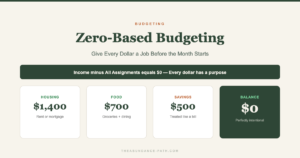 Budget
Zero-Based Budgeting: How to Give Every Dollar a Job
Zero-based budgeting means every dollar has a purpose before the month starts. It sounds rigid. It's actually the most freeing way to handle money.
Read →